Next.js
How to Integrate Maps on Your Web Pages Using react-leaflet on Next.js
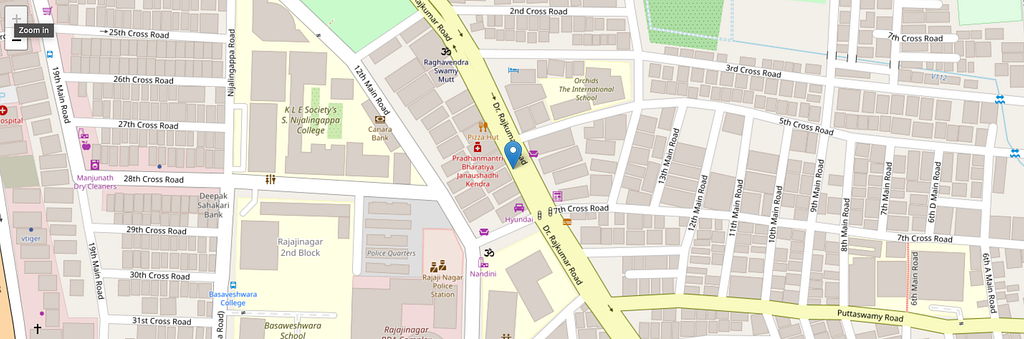
Maps can become expensive when traffic increases. This guide demonstrates implementing interactive maps in Next.js using React-Leaflet and OpenStreetMap at no cost.
Why React-Leaflet + OpenStreetMap?
- Leaflet provides a lightweight, open-source mapping library
- React-Leaflet wraps Leaflet for React/Next.js integration
- OpenStreetMap offers free, community-maintained map tiles without hidden fees
Setup Instructions
npx create-next-app@latest my-map-app
cd my-map-app
npm install react-leaflet@next
npm install -D @types/leaflet
Building the Map Component
Create Map.tsx under src/app/components/:
"use client";
import { MapContainer, TileLayer, Marker, Popup } from "react-leaflet";
import { LatLngExpression, LatLngTuple } from "leaflet";
import "leaflet/dist/leaflet.css";
import "leaflet-defaulticon-compatibility/dist/leaflet-defaulticon-compatibility.css";
import "leaflet-defaulticon-compatibility";
interface MapProps {
posix: LatLngExpression | LatLngTuple;
zoom?: number;
}
const defaults = {
zoom: 19,
};
const Map = ({ zoom = defaults.zoom, posix }: MapProps) => {
return (
<MapContainer
attributionControl={false}
center={posix}
zoom={zoom}
scrollWheelZoom={false}
style={{ height: "100%", width: "100%" }}
>
<TileLayer
attribution='© OpenStreetMap contributors'
url="https://{s}.tile.openstreetmap.org/{z}/{x}/{y}.png"
/>
<Marker position={posix} draggable={false}>
<Popup>Hey, I'm a popup!</Popup>
</Marker>
</MapContainer>
);
};
export default Map;
Key Components Explained
MapContainer: Initializes the Leaflet map instance and manages lifecycle. Required for map rendering.
TileLayer: Provides map tiles from a source (OpenStreetMap, Google Maps, Mapbox). The URL parameter specifies the tile provider.
Marker: Places a pin at specified latitude/longitude coordinates. Can be made draggable or static.
Popup: Displays an overlay window when clicking a marker, typically showing location details.
Rendering in Next.js
Use dynamic import to disable SSR since Leaflet makes direct DOM calls:
"use client";

import dynamic from "next/dynamic";

const Map = dynamic(() => import("@/app/components/Map"), { ssr: false });

export default function Home() {
  return (
    <div className="bg-amber-100 mx-auto my-5 w-[98%] h-[480px]">
      <Map posix={[12.995218768575647, 77.5548894807005]} />
    </div>
  );
}